Most small gym owners start with a spreadsheet and a paper sign-in sheet. It works — until it doesn't. Members miss renewals, trainers double-book classes, equipment maintenance gets forgotten, and you're spending Saturday mornings reconciling who owes what instead of growing your business.
Gym management software solves all of that. But with dozens of platforms ranging from free tools to $300/month enterprise systems, choosing the right one can feel overwhelming. This guide cuts through the noise.
Who this guide is for: Independent gym owners, boutique fitness studios, and small gym managers who want to automate operations, reduce admin work, and improve the member experience — without paying enterprise prices.
What Is Gym Management Software?
Gym management software is an all-in-one platform that replaces the disconnected mix of tools most gyms rely on — spreadsheets for members, a separate app for bookings, a notebook for equipment logs, and a WhatsApp group for trainer coordination.
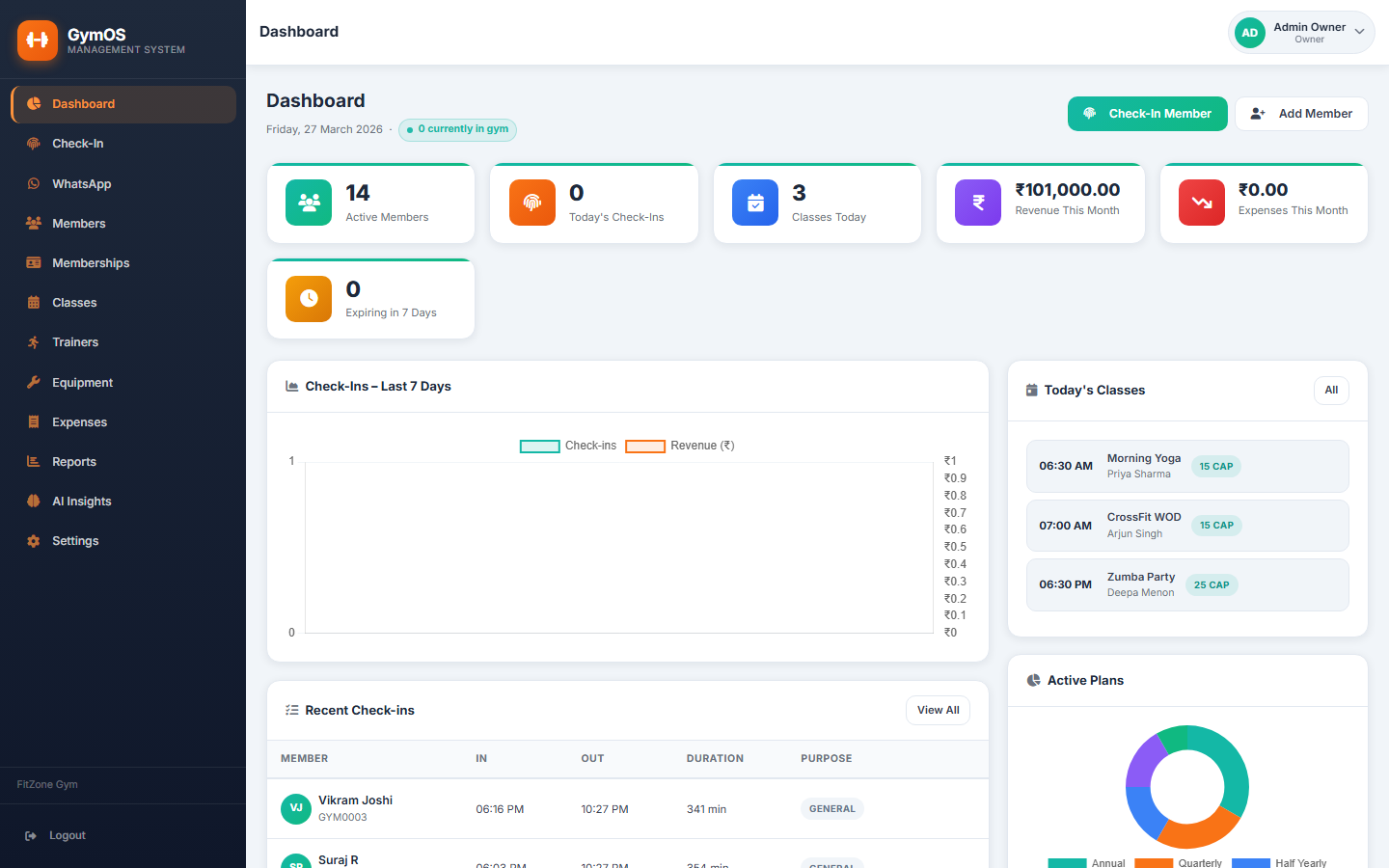
A good platform handles the full operational lifecycle:
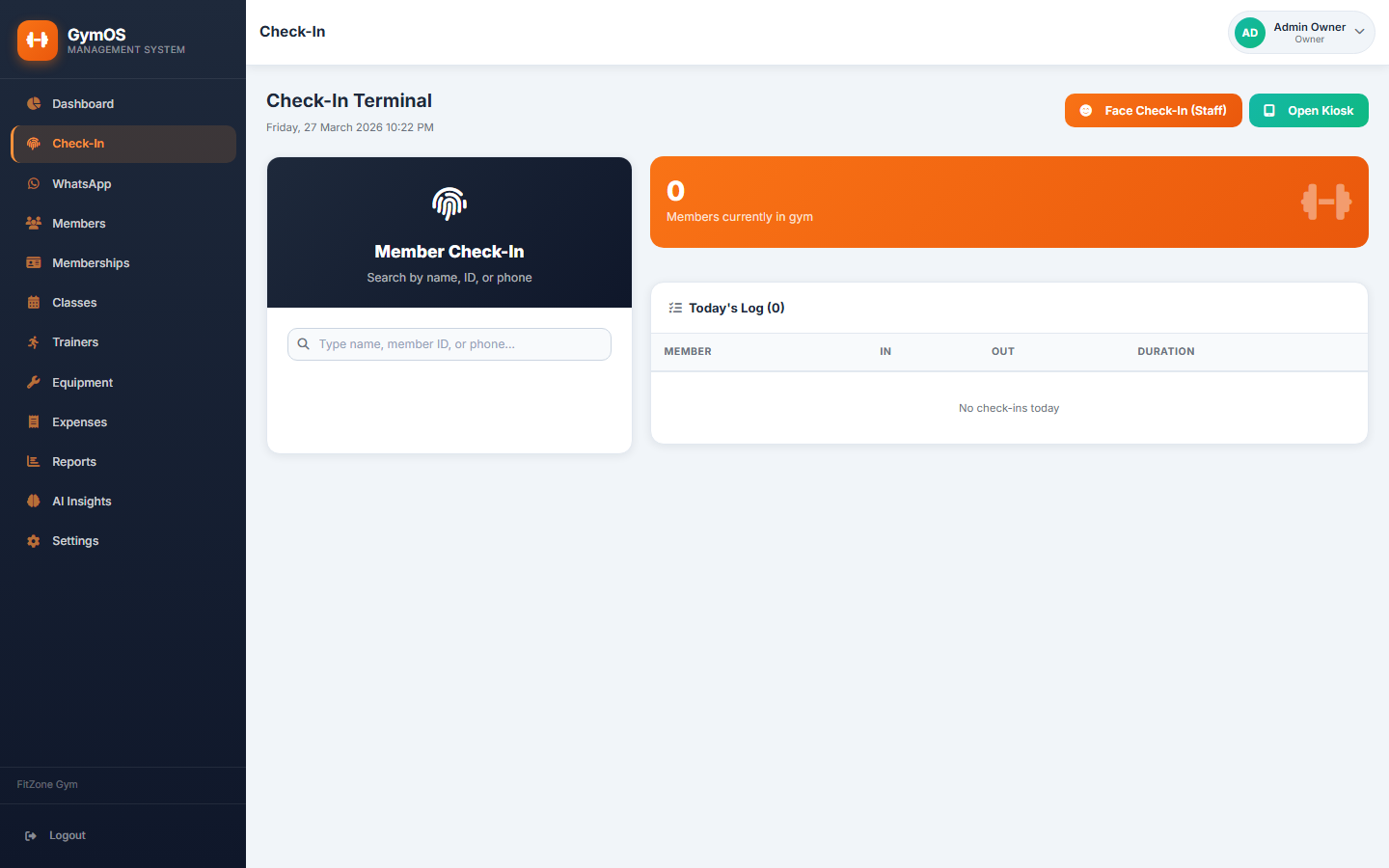
- Member sign-up, profiles, and membership status
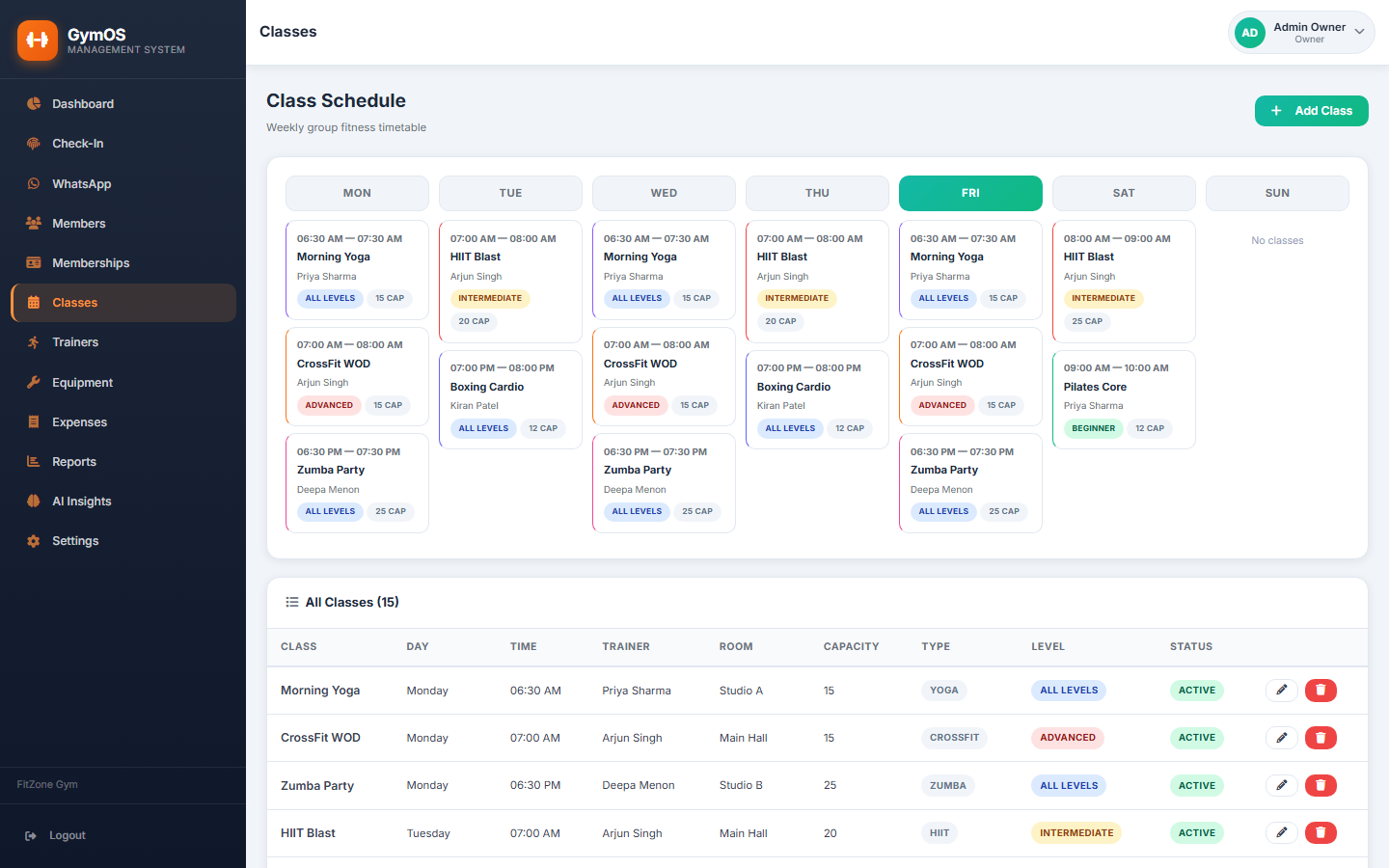
- Daily check-ins (manual or via card/QR)
- Membership plan management and renewals
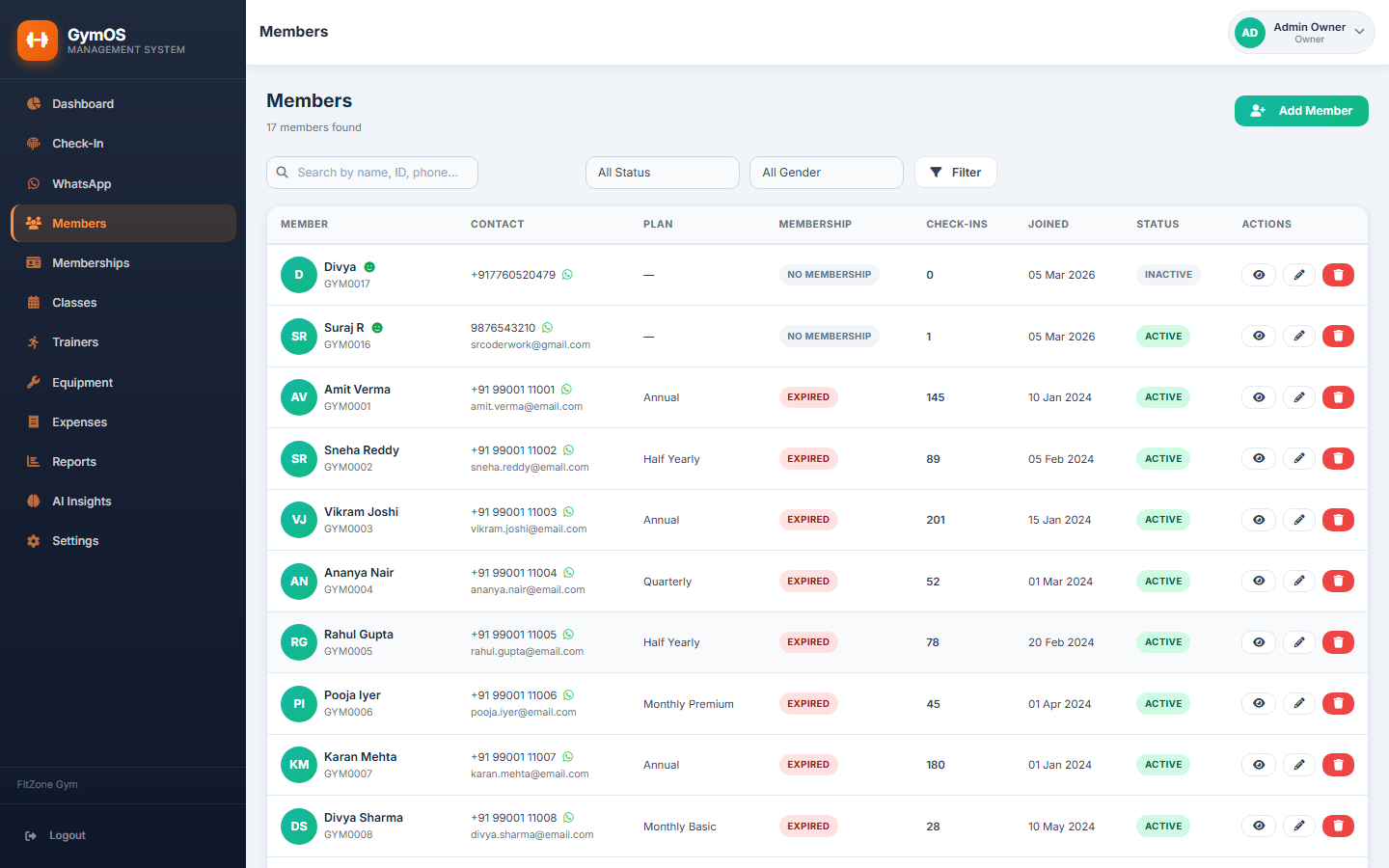
- Class scheduling and weekly timetables
- Trainer management and assignment to classes
- Equipment tracking and maintenance schedules
- Expense tracking and financial reporting
- Role-based access for owner, manager, trainer, and receptionist
Why Small Gyms Need Dedicated Software in 2026
The fitness industry is more competitive than ever. Members now expect the kind of seamless digital experience they get from large chain gyms — even at a local independent gym. Here's what's at stake if you're still running on manual processes:
Membership Leakage
Without automated tracking, members whose subscriptions lapse often just… stop showing up. You don't know until months later. Good gym software flags expired memberships automatically so your front desk or manager can follow up immediately — recovering revenue you'd otherwise lose.
No-Show Classes
When class bookings aren't tracked, trainers show up to nearly empty sessions and popular classes become overcrowded. A class management module with capacity limits and attendance records fixes this.
Trainer Accountability
Without a system, it's hard to know which trainer taught which class, how many sessions each trainer delivered this month, or whether sessions are being covered. This creates liability and payroll headaches.
Equipment Blind Spots
Gym equipment has a finite service life. Missing a maintenance window on a treadmill or cable machine can mean expensive emergency repairs — or worse, a member injury. Software-based equipment logs with service reminders prevent this.
Quick stat: Gyms that implement digital member management report an average 23% reduction in membership churn within the first six months, primarily through timely renewal reminders and improved member communication.
Must-Have Features: What to Look For
Not every gym needs every feature. Here's a breakdown of what's essential versus nice-to-have for a small independent gym:
| Feature | Essential? | Why It Matters |
|---|---|---|
| Member profiles & history | ✓ Essential | Know your members — join date, plan, check-in history |
| Daily check-in log | ✓ Essential | Track attendance, identify inactive members early |
| Membership plans & renewals | ✓ Essential | Automate subscription tracking, flag expiries |
| Class schedule management | ✓ Essential | Weekly timetable, capacity, trainer assignment |
| Trainer management | ✓ Essential | Track sessions, specialisations, contact info |
| Equipment log | ✓ Essential | Service history, condition tracking, maintenance alerts |
| Expense tracking | ✓ Essential | Know your operational costs month by month |
| Role-based access | ✓ Essential | Staff see only what they need to; owner sees everything |
| Online member portal | Nice to have | Useful for larger gyms; overkill for most small ones |
| Mobile app | Nice to have | Convenient but not critical for gym staff |
Choosing the Right Software: 5 Questions to Ask
1. What's the true total cost?
SaaS pricing looks cheap upfront but compounds over time. A $50/month tool costs $600/year and $3,000 over five years — often more than a one-time self-hosted solution. Factor in per-user fees, support costs, and what happens if you grow your team.
2. How much training does staff need?
If your receptionist needs two weeks of training to check someone in, the software is too complex. Look for clean, intuitive UIs designed for non-technical staff. Most gyms have high staff turnover — the system needs to be learnable in an afternoon.
3. Can you own your data?
Some SaaS platforms hold your member data hostage. If you want to switch providers or export your list, you're told it'll cost extra — or that bulk exports aren't supported. Make sure you can export your full member database at any time.
4. Does it handle your specific class model?
Different gyms run classes differently. Some run fixed weekly timetables; others run flexible booking windows. Make sure the scheduling module matches how you actually operate, not just how the vendor's demo gym operates.
5. Is support available when you need it?
Your busiest time — Monday 6am when the gym opens — is also when software issues hurt most. Check whether support is available outside of business hours and what the response time SLA actually is.
How BYDCRM Gym Handles Small Gym Operations
BYDCRM Gym is built specifically for independent gyms and boutique fitness studios. Rather than an enterprise platform stripped down for small business use, it was designed from the ground up for the owner-operator context.
Key capabilities in the platform:
- Member management — full profiles, photo, membership plan, join date, emergency contact
- Check-in system — daily attendance log tied to member records
- Membership plans — flexible plan creation, duration tracking, expiry alerts
- Class scheduler — weekly timetable with trainer assignment, capacity limits, and class type tagging
- Trainer profiles — specialisations, contact details, class history
- Equipment tracker — catalogue of equipment with condition status and service log
- Expenses module — categorised expense tracking with monthly summaries
- Reports dashboard — revenue trends, member growth, check-in patterns
- Role-based access — owner, manager, trainer, receptionist with appropriate permissions
The system runs on standard PHP/MySQL — deployable on any shared hosting or VPS — so there's no per-month SaaS fee eating into your margins.
See BYDCRM Gym in Action
Get a live demo tailored to your gym's size and structure. No sales pitch — just a working walkthrough of the features that matter for your operation.
Explore Gym Software →Setting Up Gym Management Software: What to Expect
The biggest barrier to adoption isn't the software — it's the migration. Here's a realistic picture of what setup involves:
Week 1: Data Migration
Import your existing member list. If you've been running on spreadsheets, this usually takes a few hours of cleanup — standardising name formats, filling in missing phone numbers, and verifying membership status. Most platforms accept CSV imports.
Week 2: Staff Training
Train your receptionist on the check-in flow and your manager on the membership and reporting modules. Trainers need to understand how to view their class schedule. Budget half a day per role — good software shouldn't need more than that.
Week 3: Go Live
Run the new system in parallel with your old process for a week so staff gain confidence. After that, cut over fully. Most gyms see staff adoption plateau within two weeks — the system becomes second nature.
Frequently Asked Questions
Bottom Line
The right gym management software pays for itself quickly — through fewer missed renewals, better class utilisation, and hours of admin time saved per week. The wrong choice means months of friction before you switch again.
Focus on the essentials: member management, check-ins, membership tracking, class scheduling, and reporting. Don't pay for features your 200-member gym doesn't need. And make sure you own your data.
If you're running an independent gym or boutique fitness studio, BYDCRM Gym is worth a look — built for exactly this use case, without the enterprise price tag.