The average independent clinic loses between 15% and 25% of booked appointments to no-shows every month. Multiply that by your average consultation fee and you're looking at a significant monthly revenue loss — all from patients who booked an appointment and simply didn't come.
That's just one of the problems that clinic management software directly addresses. But the impact goes further: reducing the 40–60 minutes of admin per patient that most practices absorb through paper-based or semi-digital processes, accelerating billing cycles, and giving clinical staff better visibility into patient history without digging through folders.
This guide covers what to look for, what to avoid, and how independent practices can get up and running without an enterprise IT budget.
Scope of this guide: Independent general practice clinics, physiotherapy centres, dental surgeries, specialist consultancies, and private medical practices — not large hospital systems requiring NHS/EHR integrations.
The Real Cost of Running a Clinic Without Software
Many small clinics operate with a mix of paper records, a basic calendar app, and manual invoicing. This works at low volume — but as patient numbers grow, the cracks widen.
Double-Bookings and Schedule Chaos
A paper appointment book or basic spreadsheet doesn't prevent two receptionists from booking the same slot. Even if the error is caught before the appointment, it erodes patient trust and causes staff stress. A centralised scheduling system with real-time conflict checking eliminates this entirely.
Lost or Incomplete Patient Records
When consultation notes live in physical folders, there's no search capability. A doctor coming back from leave has no quick way to review a returning patient's history without physically retrieving and reading the file. Digital patient records with search and filtering change this immediately.
Slow Billing Cycles
Manual invoice generation after each consultation adds 10–15 minutes per patient and creates a backlog that often doesn't get processed until end-of-week. This delays cash flow and creates reconciliation headaches when patients dispute what they were billed.
What Clinic Management Software Actually Does
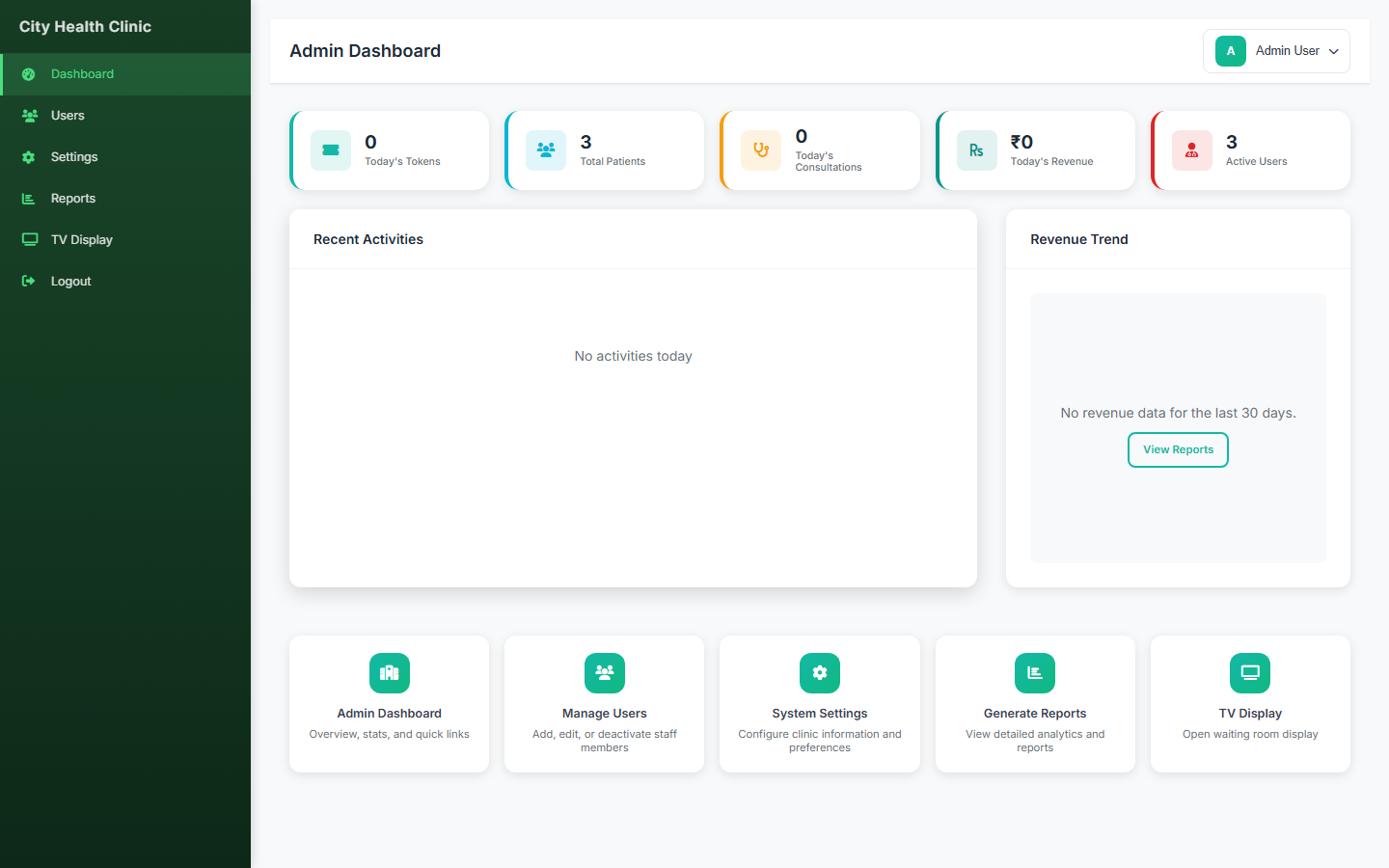
At its core, clinic management software is a centralised platform that connects every part of the patient journey:
Patient Registration & Records
Store patient demographics, medical history, allergies, previous diagnoses, and consultation notes in one searchable profile. Every visit is logged chronologically, giving any doctor a complete picture in seconds.
Appointment Scheduling
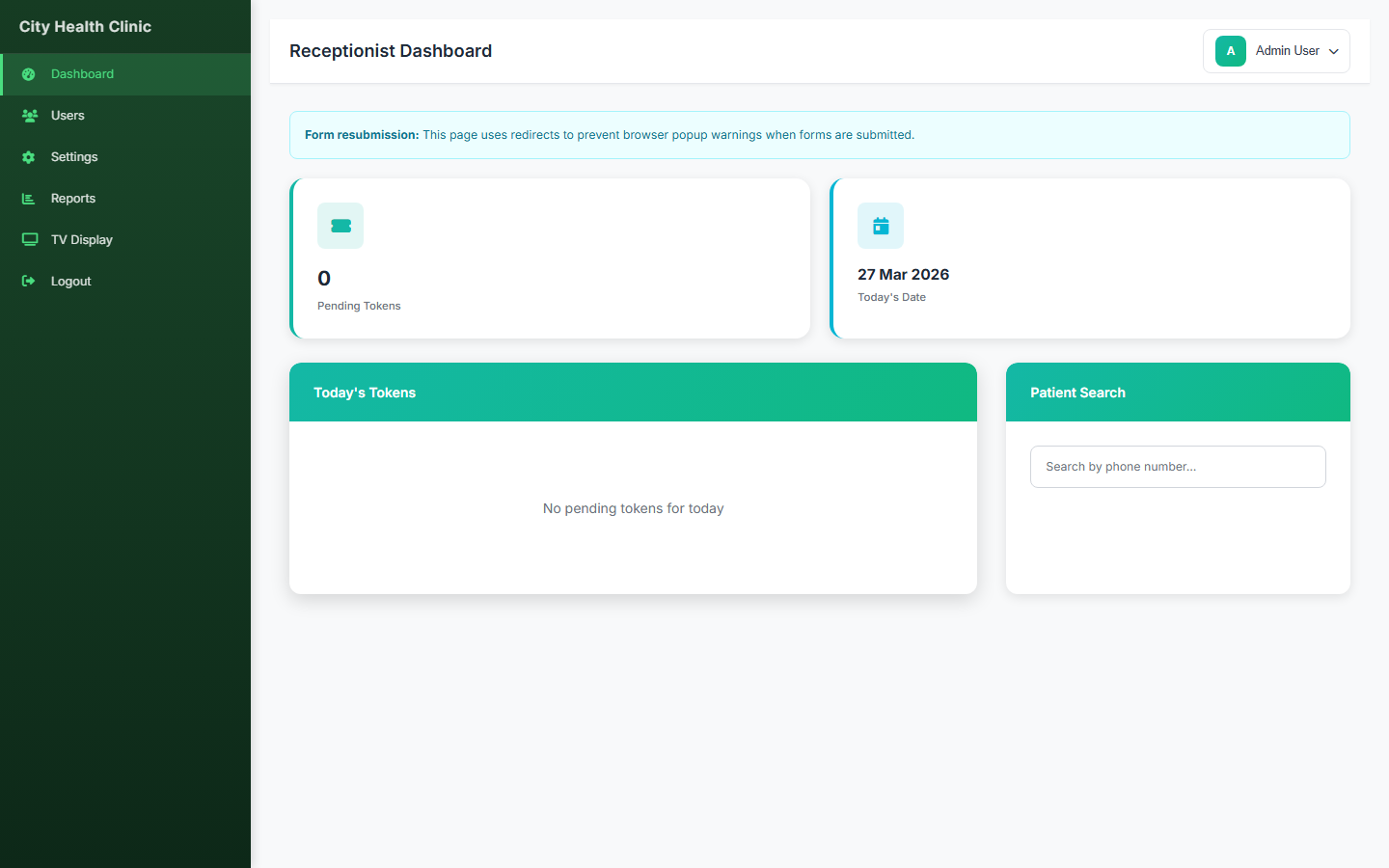
A visual calendar for each doctor or practitioner, with configurable time slots, double-booking prevention, and the ability to view daily and weekly schedules at a glance. Reception staff can book, reschedule, and cancel from a single screen.
Automated Reminders
This is the single biggest no-show reducer. Automated SMS or email reminders sent 24–48 hours before an appointment, with one-tap confirmation or cancellation, consistently bring no-show rates from the 20% range down to 5–8%. The patient gets a reminder; the clinic gets a confirmed slot or early enough notice to rebook.
Consultation Notes & Prescriptions
Doctors record notes during or after consultations directly in the patient record. Prescription templates can be stored and reused, reducing the time to generate a prescription from minutes to seconds.
Billing & Invoicing
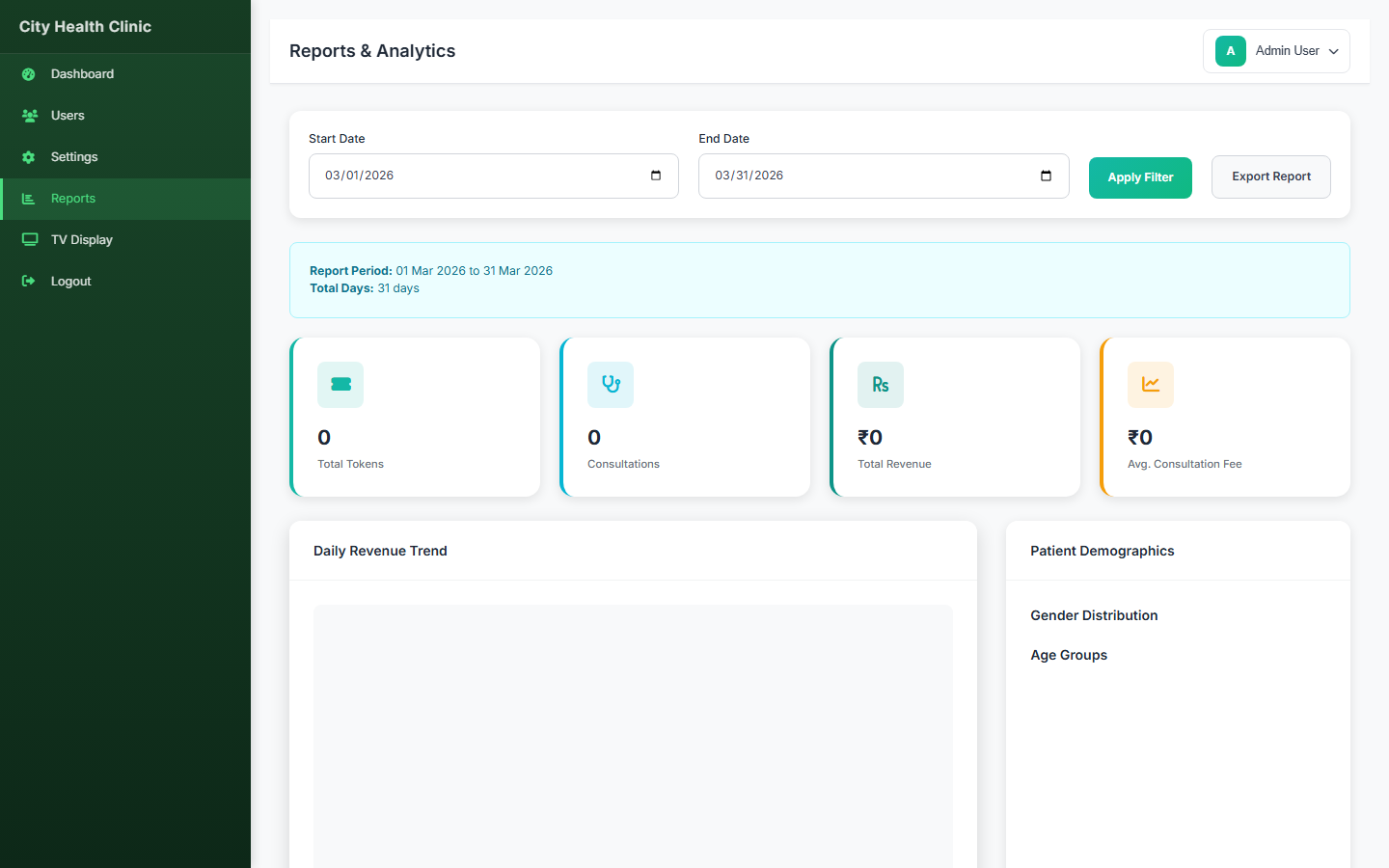
Generate invoices directly from the appointment — linked to the patient, the doctor, and the consultation type. Track payment status, outstanding balances, and generate monthly revenue reports without manual reconciliation.
Staff & Room Management
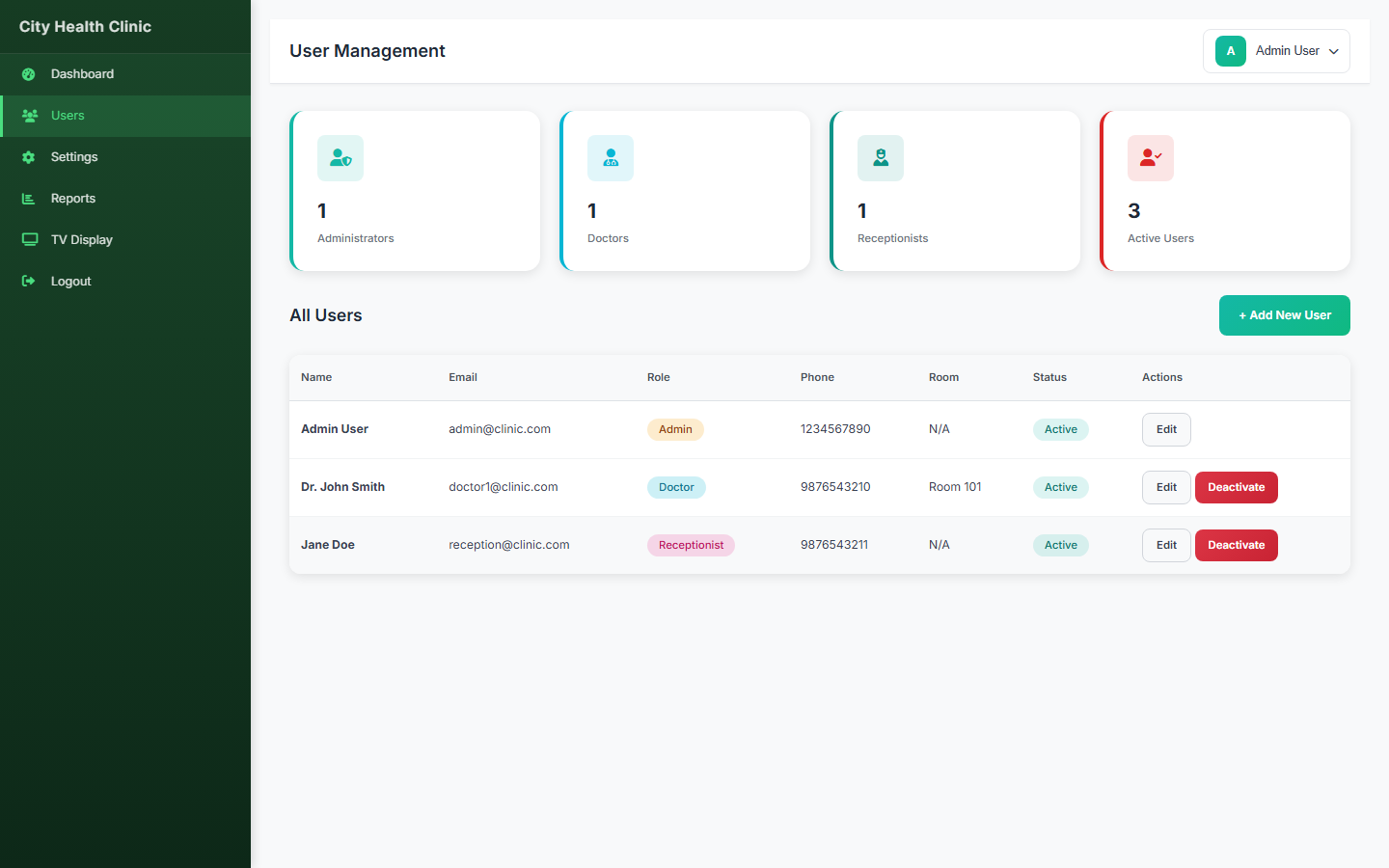
Assign practitioners to rooms, track availability, and ensure scheduling reflects actual capacity. Useful for multi-practitioner clinics where room allocation affects appointment bookings.
Patient privacy note: Any clinic software you deploy should support role-based access controls so that reception staff can manage bookings without accessing full medical records, and clinical staff can view records without accessing billing details. This separation of concerns is both good practice and a regulatory requirement in most jurisdictions.
Key Features to Evaluate When Choosing a Platform
1. Ease of Use for Reception Staff
The most powerful feature in the world is useless if your receptionist avoids it because it's confusing. Evaluate how many clicks it takes to book a new appointment for an existing patient. If the answer is more than three, it'll create friction at the front desk.
2. Patient Record Depth
Some platforms treat patient records as just a name and phone number with attached appointments. You want structured records: medical history, allergy flags, diagnosis history, consultation notes, and prescription records — all linked and searchable.
3. Billing Integration
Billing should be inseparable from appointments. A platform that requires you to log into a separate billing tool to generate an invoice — or worse, do it in a spreadsheet — defeats the purpose. The invoice should be generatable from the appointment record in one click.
4. Reporting & Analytics
Which doctors are busiest? Which appointment types generate the most revenue? What's your no-show rate this month compared to last? Good clinic software turns operational data into answers. If the platform only shows you what happened but can't help you understand trends, it's incomplete.
5. Data Portability
You should be able to export your full patient database — including records, not just contact details — at any time. Clinics that become dependent on a single SaaS provider and can't extract their own data are vulnerable to price increases and service discontinuation.
Common Implementation Mistakes to Avoid
Migrating incomplete data
The temptation is to import only "active" patients and leave historical records in paper files. This creates a two-tier system where older patients' records are inaccessible. Do the full migration or plan a structured phase-in — but don't leave data stranded.
Skipping staff training
Rolling out new software without training creates silent workarounds. Staff find ways to bypass the system and revert to what they know. Dedicate half a day to training per role — it pays back immediately.
Not configuring reminder timing
Reminders sent 2 hours before an appointment are less effective than those sent 24–48 hours ahead. Configure your reminder windows based on your cancellation policy and how much lead time your team needs to fill a vacant slot.
How BYDCRM Clinic Fits Independent Practices
BYDCRM Clinic is built for independent practices that need a complete, self-hosted solution without the enterprise complexity — or the enterprise price. It covers:
- Full patient profiles with medical history and visit log
- Appointment scheduling with practitioner calendars
- Consultation notes and prescription management
- Billing and invoice generation linked to appointments
- Role-based access for doctors, nurses, and reception staff
- Reporting dashboard with revenue and appointment metrics
It runs on PHP/MySQL — deployable on any standard hosting environment — so there's no recurring SaaS subscription eating into the practice's margin.
See BYDCRM Clinic in Action
Request a demo walkthrough tailored to your practice type. We'll show you the appointment flow, patient records, and billing in a live session — no slides, no sales scripts.
Explore Clinic Software →Frequently Asked Questions
Bottom Line
A well-implemented clinic management system pays for itself through recovered no-show revenue alone — before you count the hours saved on admin, billing cycles shortened, and the improved patient experience that drives referrals and retention.
For independent practices, the priority is straightforward: patient records, scheduling, reminders, and billing — all integrated and accessible by the right staff at the right time. You don't need hospital-grade complexity to achieve clinic-grade results.
BYDCRM Clinic was built for exactly this context. If you're running or planning an independent practice, it's worth exploring.