There's a predictable inflection point in every growing business: you hire your 10th or 12th employee and suddenly the spreadsheet-based HR processes that worked fine at five people start creating daily friction. Leave requests get lost. Payroll calculations take half a day. You're not sure who's on probation or when someone's contract renews. A performance review hasn't happened in 14 months.
This isn't a failure of organisation — it's a scaling problem. And it has a well-understood solution: a Human Resource Management System (HRMS).
This guide explains what an HRMS actually does, when your business needs one, what to look for, and how to roll it out without disrupting your team.
Who this is for: SMB founders, operations managers, and HR administrators at companies with 10–200 employees who are outgrowing manual HR processes or evaluating their first dedicated HR platform.
What Is an HRMS?
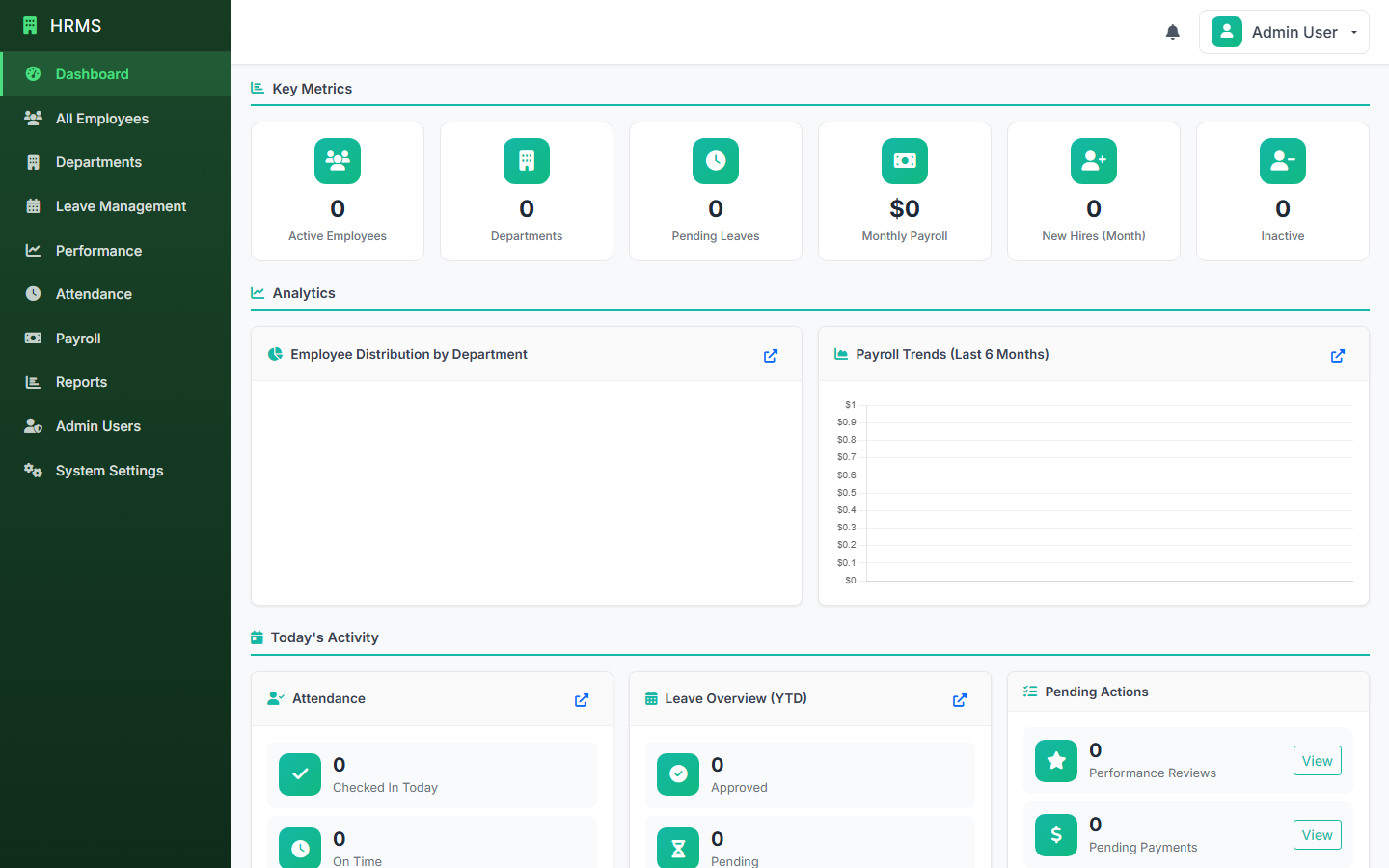
An HRMS (Human Resource Management System) is a software platform that centralises everything related to your workforce: employee records, contracts, attendance, leave, payroll, performance reviews, and recruitment — in one integrated system.
The term is sometimes used interchangeably with HRIS (Human Resource Information System) or HCM (Human Capital Management). For practical purposes, they refer to the same category of tool. The key idea is replacing disconnected tools and manual processes with a single source of truth for all HR data.
❌ Without an HRMS
- Employee records in spreadsheets
- Leave tracked in chat or email
- Payroll calculated manually
- No structured performance reviews
- Onboarding done ad hoc
- No HR reporting capability
✓ With an HRMS
- Centralised, searchable employee profiles
- Leave requests, approvals, and balances automated
- Payroll calculated from attendance data
- Performance cycle tracked and documented
- Structured onboarding checklists
- Headcount, turnover, cost reports on demand
The Real Business Cost of Manual HR
Most small business owners underestimate how much time their team spends on HR administration. Research consistently shows that companies without dedicated HR systems spend 30–40% more time per employee on HR tasks than those using integrated platforms.
Here's where that time goes:
Payroll Errors and Recalculations
Manual payroll calculated from attendance spreadsheets introduces errors. Even a small error — an overtime calculation off by a factor, a missed statutory deduction — creates employee trust issues and compliance risk. In jurisdictions with statutory deductions (PAYE, NHIF, NSSF in Kenya; PAYE, NI in the UK), manual calculations are a compliance liability.
Leave Management Conflicts
Without a central leave system, two team members can take leave simultaneously without either manager realising. Projects get delayed. Client commitments get missed. The conversation after the fact is always awkward.
No Audit Trail
When an employment dispute arises — and eventually, in any growing business, it will — you need to show documented warnings, performance records, and HR correspondence. "We talked about it" isn't enough. An HRMS creates the documented record that protects the business.
HR as a Bottleneck
When the HR function is manually intensive, it becomes a bottleneck. Hiring slows down because the process isn't systemised. Onboarding is inconsistent. Payroll runs late. The solution isn't hiring more HR staff — it's reducing the manual work through software.
At what size does it make sense? Most businesses find the return is clear from around 10–15 employees. Below that, a well-structured spreadsheet approach with clear process ownership can work. Above it, the coordination overhead grows faster than headcount.
Core HRMS Modules: What to Prioritise
Employee Records Management
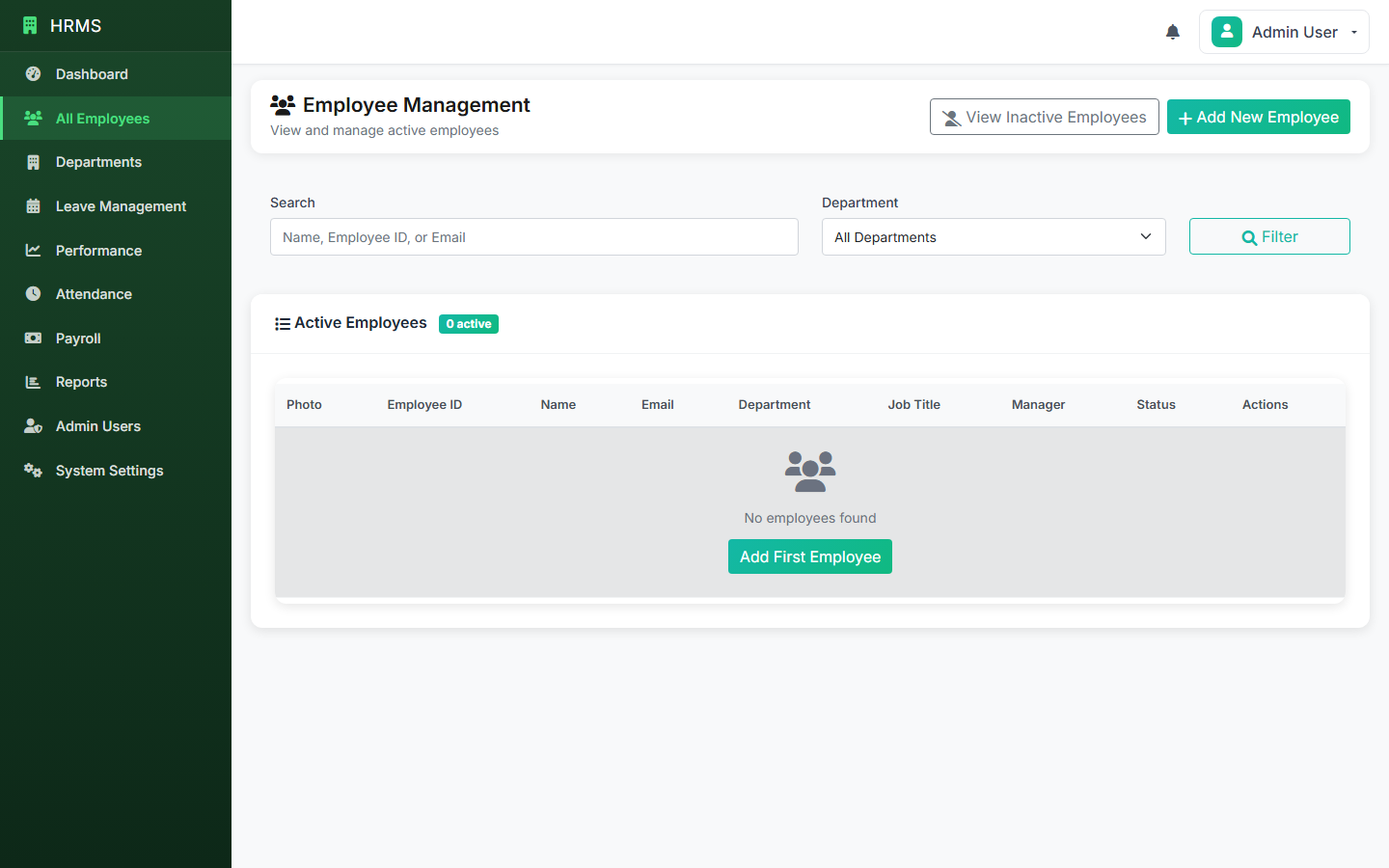
The foundation of any HRMS. Every employee has a single, searchable profile containing: personal details, emergency contacts, job title and department, contract type and start date, compensation history, documents (contracts, ID copies), and notes from HR interactions. This should be accessible to HR administrators, with restricted access for managers and the employees themselves.
Attendance & Leave Management
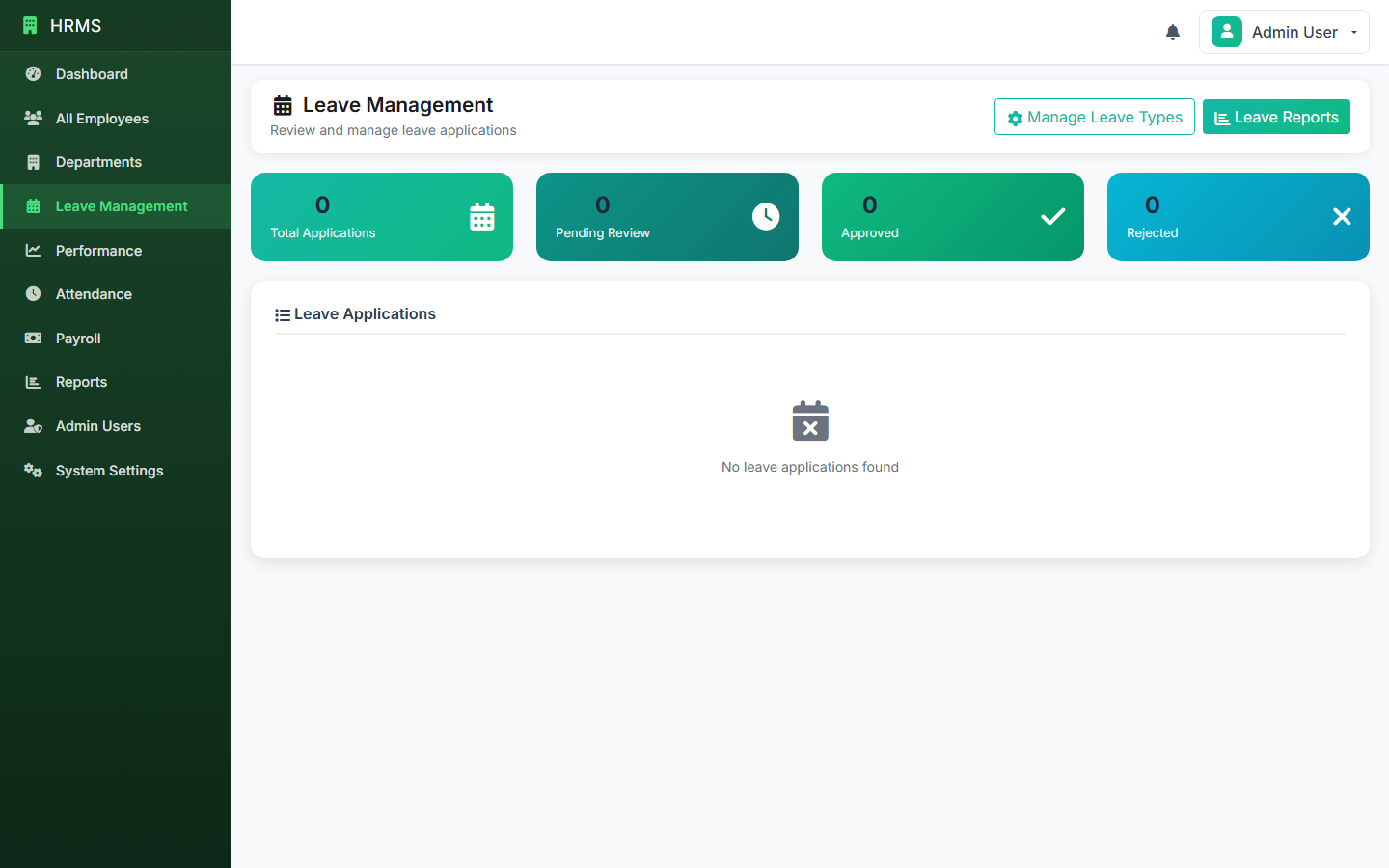
Daily attendance tracking tied to each employee, with leave request and approval workflows. The system should maintain leave balances automatically — accruing entitlement, deducting approved leave, and carrying forward unused days according to your policy. Managers should be able to see team leave calendars to avoid conflicts.
Payroll Processing
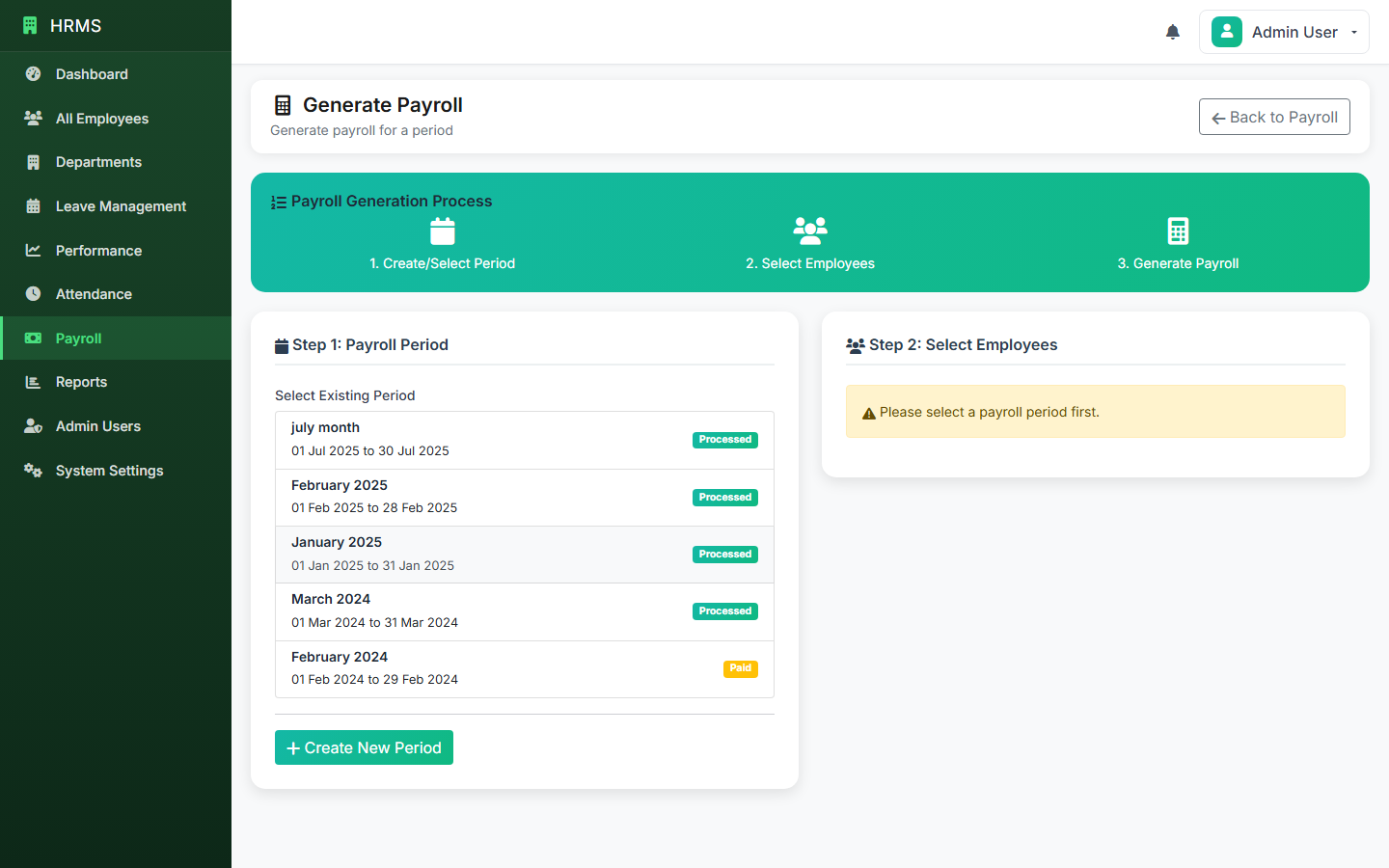
This is often the module that delivers the most immediate ROI. Payroll calculated from attendance data, with configurable salary structures, overtime rules, and statutory deductions. The output should be a payslip per employee and a payroll summary per period — ready for bank processing.
Recruitment & Onboarding
Track open positions, applicant pipelines, and interview stages. Once a candidate is hired, a structured onboarding checklist ensures nothing is missed — IT setup, induction schedule, document collection, probation period logging. This is especially valuable if you hire in volume or have multiple managers hiring simultaneously.
Performance Management
Set goals, schedule reviews, and record outcomes. Even a simple performance module — a structured review form completed twice a year — is far better than the "we'll get to it eventually" approach that most SMBs fall into. This creates the documentation trail that matters if employment issues arise later.
Reporting & Analytics
Headcount by department, turnover rate, leave utilisation, payroll cost trends, hiring pipeline status — these are the metrics that help you manage the people side of the business proactively. Without an HRMS, generating any of this requires hours of spreadsheet work per report.
How to Choose an HRMS for Your SMB
Match the platform to your compliance context
Payroll and HR compliance varies significantly by country. An HRMS built for UK employment law won't have the right statutory deduction logic for Kenya, and vice versa. Make sure the platform you choose is configured for your jurisdiction — especially for payroll tax calculations.
Evaluate the total cost honestly
Per-employee SaaS pricing compounds quickly. A platform charging $8/employee/month costs $960/month at 120 employees — over $11,000/year. Self-hosted solutions with a one-time licence fee can be significantly cheaper over three to five years, particularly for businesses in cost-sensitive markets.
Prioritise usability over feature depth
An HRMS that your managers avoid using because it's complex is worthless. Prioritise clean workflows for the three most-used functions: leave requests, attendance, and payroll. Everything else is secondary.
Check data export and portability
You should be able to export your full employee database, payroll history, and attendance records at any time. Vendor lock-in on HR data is a serious risk — especially for payroll records, which have legal retention requirements.
Rolling Out an HRMS Without Disrupting Your Team
Prepare your employee data
Export your existing employee records from spreadsheets. Standardise name formats, fill in missing fields, verify employment dates. The quality of your migration determines the quality of your starting state.
Configure before you launch
Set up your leave policies, payroll structures, department hierarchy, and role-based permissions before any employee logs in. A misconfigured leave balance on day one creates noise and erodes trust.
Train managers first
Managers need to know how to approve leave requests, view team attendance, and generate payroll before their teams start using the system. Train managers a week before the company-wide rollout.
Run payroll in parallel for one cycle
For the first payroll run, calculate manually and through the HRMS simultaneously. Compare the outputs. This validates your configuration and gives your finance team confidence before cutting over entirely.
Decommission the old system
Don't run two systems indefinitely. Once the HRMS is validated for a full pay cycle, retire the spreadsheets. The longer you maintain parallel processes, the longer staff adoption is delayed.
BYDCRM HRMS: Built for Growing SMBs
BYDCRM offers two HRMS variants designed for different scales and markets:
- HRMS Pro — full-featured HR platform covering employee management, attendance, leave, payroll, recruitment, and performance reviews. Designed for growing SMBs that need comprehensive HR operations without enterprise pricing.
- HRMS Core — streamlined version for businesses that need employee records, attendance, and leave management without the full payroll and recruitment modules.
- HRMS Kenya — HRMS Pro configured for Kenyan compliance — PAYE calculations, NHIF and NSSF deductions, and local statutory reporting built in.
All three run on self-hosted PHP/MySQL — no per-employee SaaS subscription — making them cost-effective at any headcount.
Find the Right HRMS for Your Team
Talk to us about your team size, compliance requirements, and HR priorities. We'll show you the right BYDCRM HRMS variant and walk through the modules that matter for your context.
Explore HRMS Pro → Kenya Payroll EditionFrequently Asked Questions
Bottom Line
HR is the function most small businesses underfund and understructure until a problem forces them to pay attention. An HRMS doesn't just make HR easier — it makes the business more resilient by creating documented processes, compliance trails, and operational visibility that you can't get from a spreadsheet.
Start with the modules that cause the most friction today: usually attendance and leave management, then payroll. Layer in performance and recruitment as the team grows.
If you're evaluating options, BYDCRM HRMS Pro or the Kenya-specific edition are worth exploring — built for the SMB context without the enterprise overhead.